
Your free book is ready
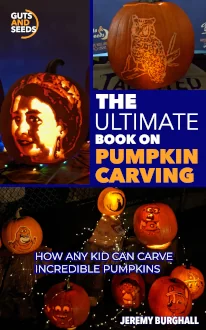
The Ultimate Book on Pumpkin Carving
How Any Kid Can Carve Incredible Pumpkins
Choose your device below for download instructions. The whole process takes about 30 seconds.
Choose your device
Apple Devices — iPhone, iPad & Mac
- Tap or click the download button below.
- The file will download and open automatically in Apple Books.
- If you see a prompt asking which app to open it with, choose Books.
- The book will appear in your Apple Books library and is available to read offline any time.
Tip If Apple Books isn’t installed, download it free from the App Store.
Search for Apple Books.
Download for Apple Devices ↓ Android — Phone & Tablet
- First, install Google Play Books — it’s free from the Google Play Store. Search for Google Play Books. (Skip this step if you already have it.)
- Tap the download button below. The file will download to your device.
- When the download finishes, tap the notification or open your Downloads folder and tap the file.
- When prompted to choose an app, select Play Books.
- The book will appear in your Play Books library, ready to read offline.
Tip If you’re not prompted to choose an app, open
Google Play Books, tap Library, then
tap the upload icon and select the downloaded file manually.
Download for Android ↓ Windows PC — Desktop & Laptop
- Download and install Calibre — a free EPUB reader for Windows. Get it at calibre-ebook.com . (Skip this step if you already have an EPUB reader.)
- Click the download button below. Save the file somewhere easy to find, like your Desktop or Downloads folder.
- Open Calibre. Drag the downloaded
.epubfile into the Calibre window, or click Add books and select the file. - Double-click the book in your Calibre library to open and read it.
Tip If you already have Microsoft Edge as your browser,
you can simply double-click the downloaded
Download for Windows PC ↓ .epub file — Edge can open EPUB files
directly without any extra software.Having trouble? Email us and we’ll help you get sorted.