
Coming September 2026
Your photo. Your stencil. Your carving.
Pumpkin Studio turns any photo into a printable pumpkin carving stencil.
Six carving styles.
Built specifically for pumpkin carving.
Nothing else does what this does.
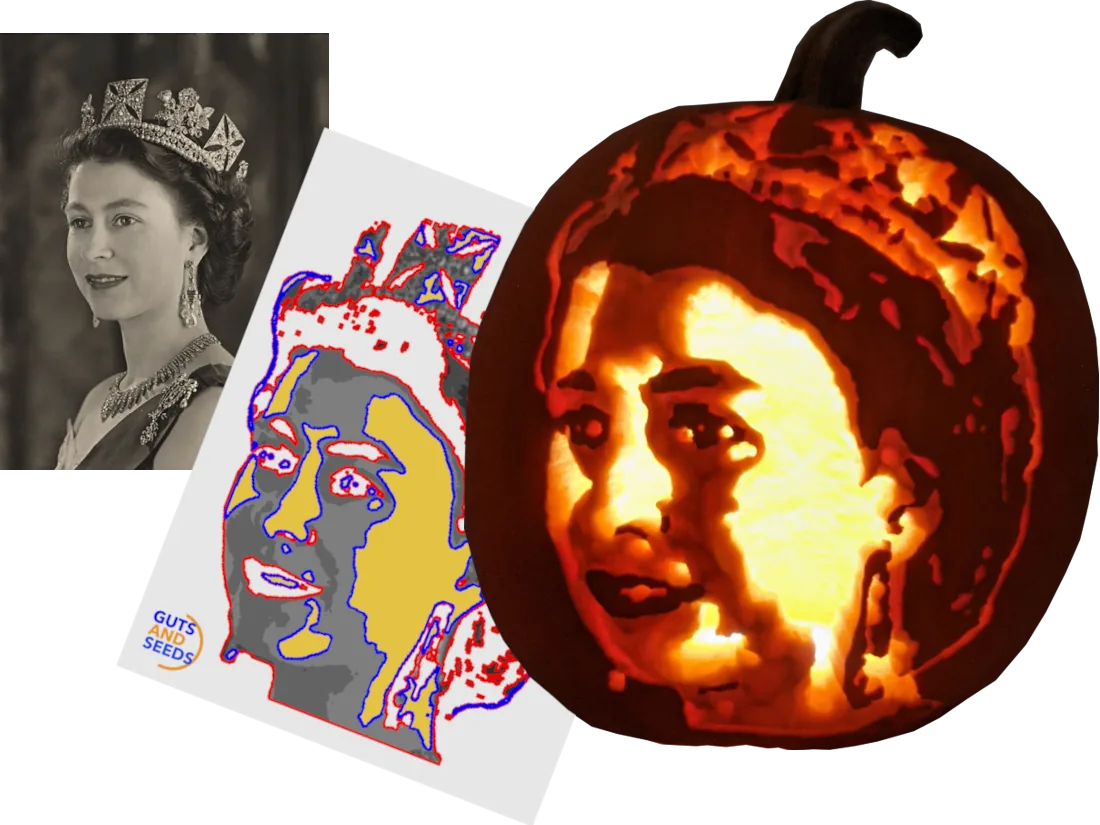
Why Pumpkin Studio exists
Photoshop was never designed for this
A couple of years ago, Jeremy taught pumpkin portrait carving to high school art students. These kids had used Photoshop before. He thought teaching them to make their own stencils would take a couple of hours. It ended up taking some kids several sessions just to get a usable stencil. Even then, the results were mixed.
Photoshop is a great tool — but it was never designed for this. It’s complicated, and it’s missing the guidance and features that making a pumpkin stencil actually needs.
This is why Pumpkin Studio exists. A tool easy enough for kids to use. Guided, purposeful, and built from the ground up for pumpkin carving.
“A friend and I once started with the exact same photo and ended up with two completely different stencils. He preferred deeper shadows, I preferred more light. Same image, same software, two entirely different interpretations. This is not an accident. This is where you get to be the artist.”
— Jeremy Burghall, author
Five stages, one stencil
How it works
Upload your photo and work through five guided stages. Each stage refines your stencil. The pumpkin preview updates in real time so you always know what you’re carving.
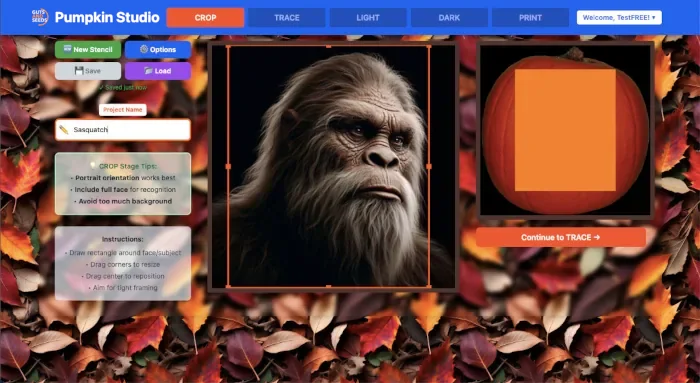
Crop
Upload any photo and crop to focus on your subject. Try for free — no account needed.
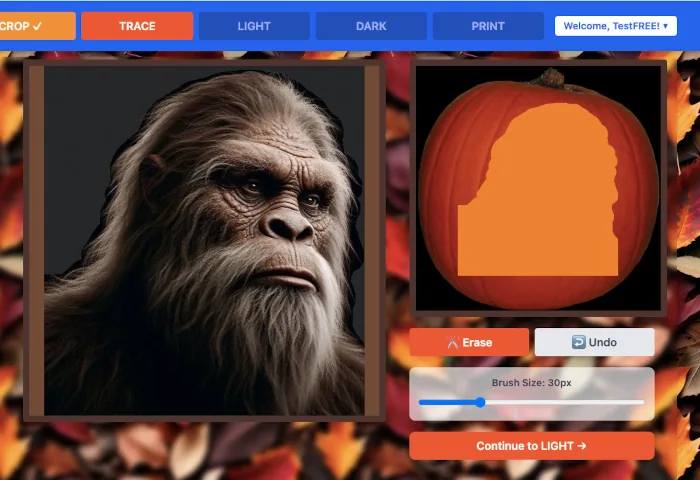
Trace
Remove the background and isolate your subject. Try for free — no account needed.
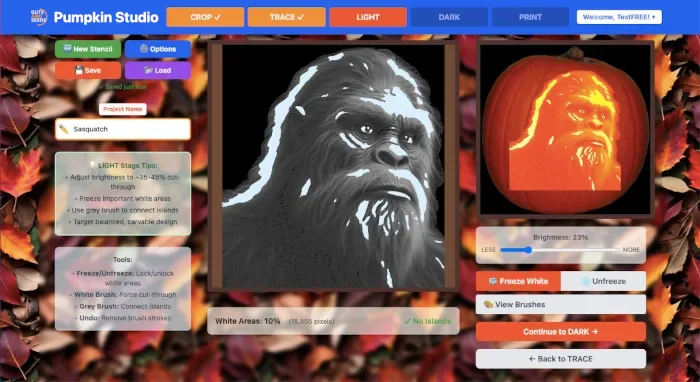
Light
Use a brightness slider and brush tools to define the lightest areas of your carving. Preview all six carving styles in real time.
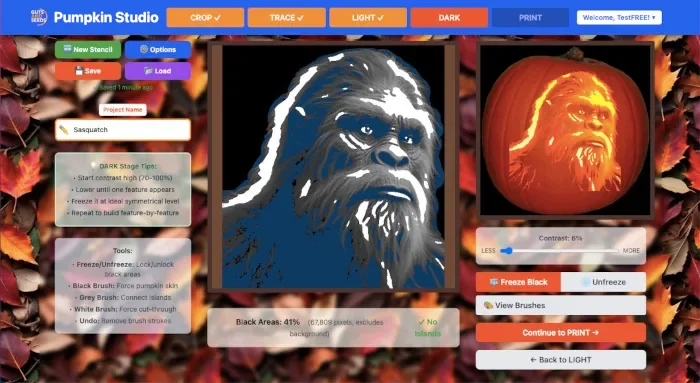
Dark
Refine shadows and mid-tones with four brush tools. Black, white, gray, and undo brushes give you full control.
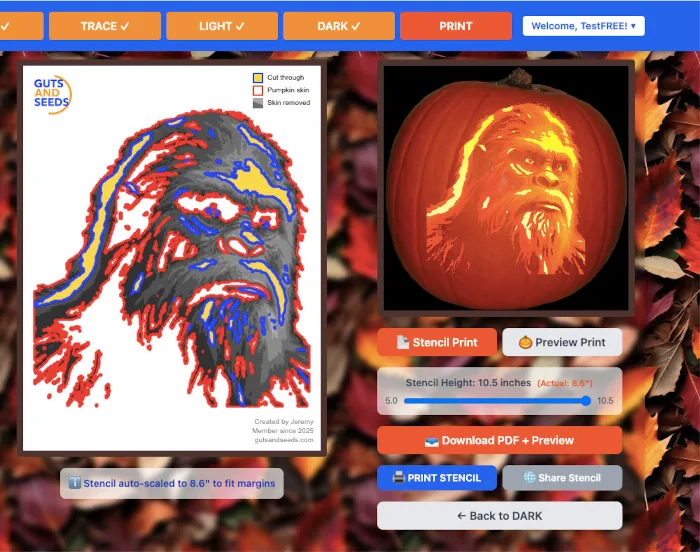
Print — Stencil
Your completed stencil appears for the first time. Color-coded by technique: white to leave, yellow to saw, gray to scrape, black to Sharpie.
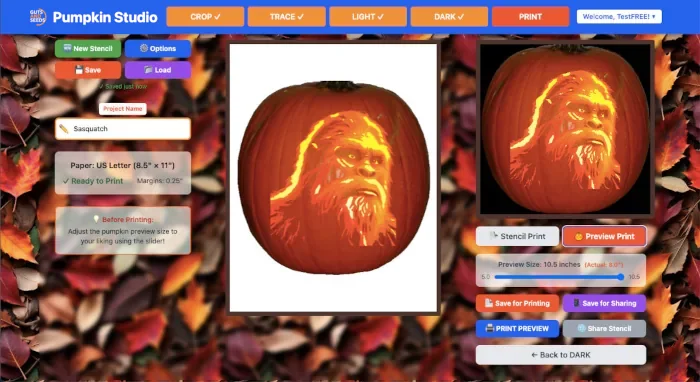
Print — Preview
Print the pumpkin preview as a paper decoration, or share your pumpkin directly to social media.
Features you won’t find anywhere else
Built for pumpkin carving. Only pumpkin carving.
Every feature in Pumpkin Studio exists because pumpkin carving needed it. Not adapted from another tool. Designed from scratch.
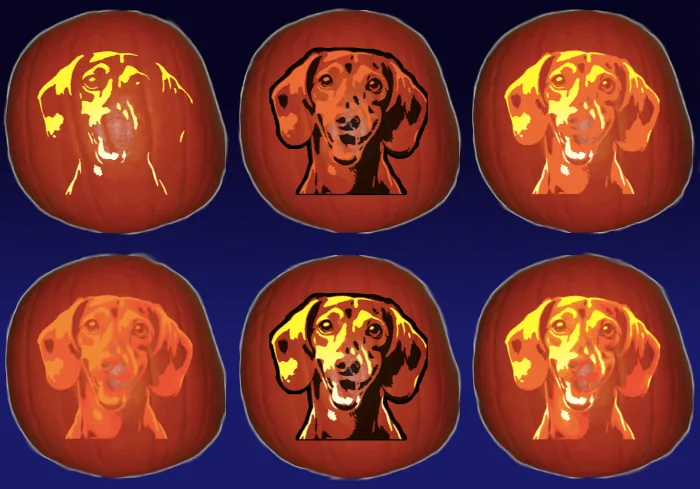
One image, six carving styles
Recommended styles are suggested for each subject, but switching is instant — experiment freely and watch the pumpkin preview update in real time.
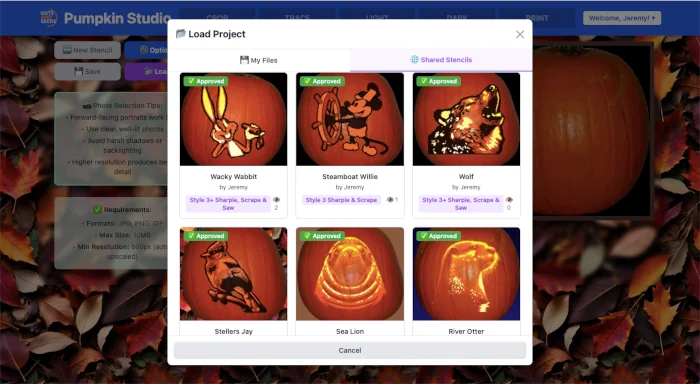
Featured stencil library
Browse featured and community-uploaded stencils. Load any stencil, customize it, or remix it into something completely new. Go back to the original image and start fresh any time.
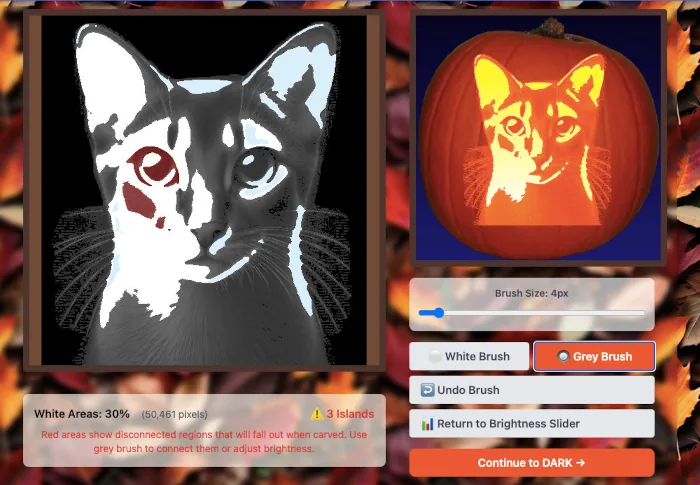
Automatic island detection
Islands are sections of pumpkin completely surrounded by saw holes — they fall out when you carve. Pumpkin Studio detects and highlights them automatically, so you can fix them before you carve.
Be first in line
Pumpkin Studio launches
September 2026
Join the waitlist and we’ll let you know the moment it’s ready. No spam. Just one email when the doors open.
Demo the first two stages then preview all six carving styles in real time. No account needed.
Browse, load and customize stencils from the featured library. Remix any stencil into your own version.
Complete and print your own custom stencils. Full access to all five stages for every image you upload.
One email at launch. Occasional updates before then. Unsubscribe any time.